
Interactions
Interactions are automated, conversational processes that can pause between steps to collect additional input, such as web-based forms or other external events.
An interaction continues to the next step once additional input is received.
The most common source of additional input is a web-based form with multiple fields.
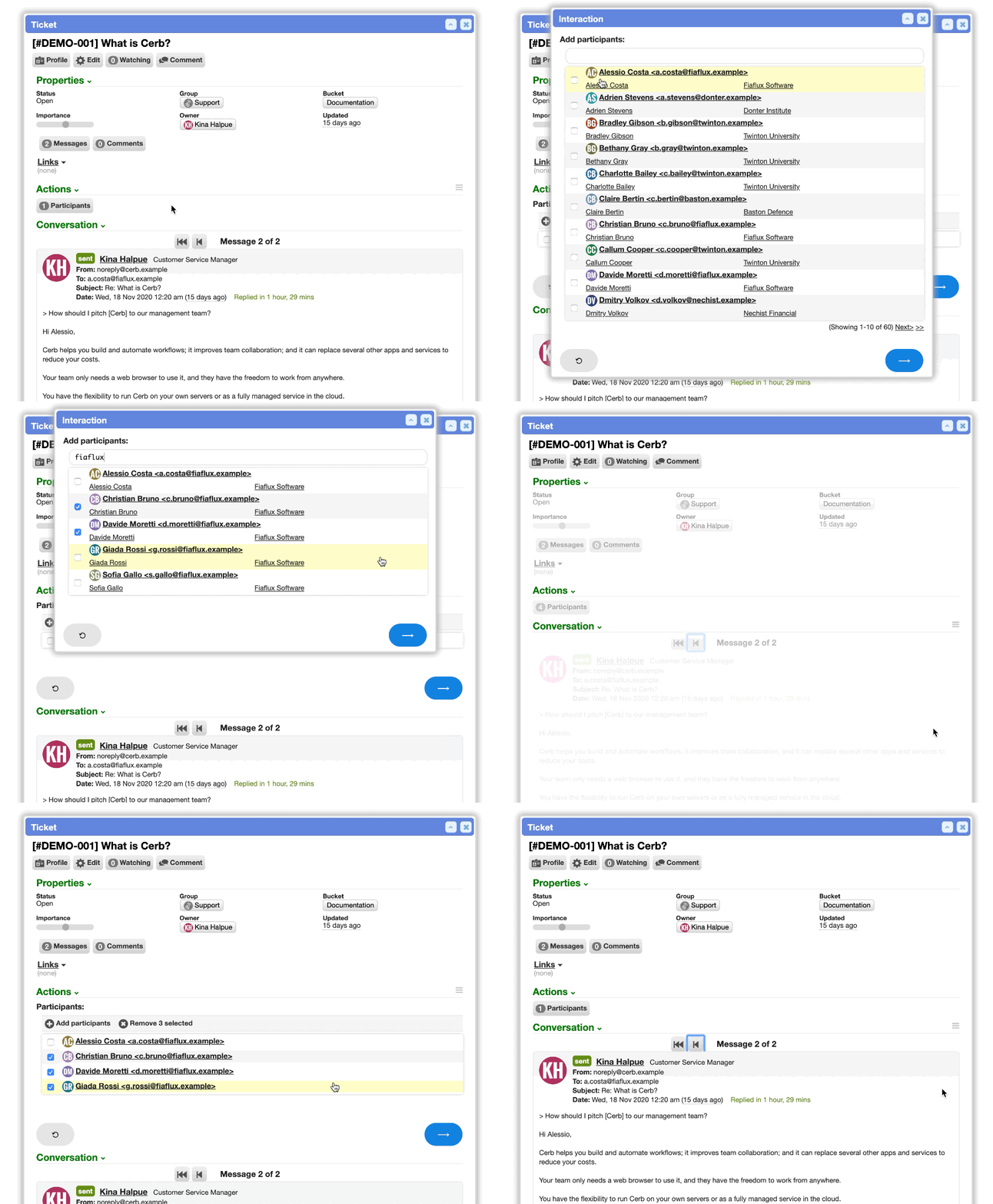
For instance, a troubleshooter interaction can ask a series of increasingly specific questions to help narrow down the potential cause of a problem. A verification interaction can send a code to a new email address and ask the user to verify it.
You can build your own interactions and add them to toolbars found through Cerb on widgets, cards, profiles, sheets, worklists, email messages, and more.
Running and resuming
Every interaction you can run – plus the conversations still waiting on you – opens from one searchable command bar, rather than from whichever toolbar happened to own it. Resumable interactions are listed first, and each entry shows its automation's description.
The command bar can also host an AI agent chat, which follows you from page to page rather than belonging to one screen. A chat there can tell you which page you're on and open a prefilled search for any record type. Which agents appear there is set on each agent.
An interaction abandoned by navigating away or closing a popup isn't lost. Worker interactions can be listed, resumed where they left off, and disposed of when they're no longer wanted.
The following triggers are used to build interactions:
| Trigger | |
|---|---|
| interaction.worker | Interactions with a worker using web forms. |
| interaction.worker.agent | Agent chats that can also drive the host editor they were launched beside. |
| interaction.worker.explore | Interactions use custom logic to return the next record in explore mode. |
| interaction.website | Interactions with visitors on third-party websites using web forms. |
| interaction.internal | Interactions Cerb uses and manages internally, kept out of the way of your own. |