
Amazon Bedrock
- Introduction
- Create the IAM policy
- Create a user and attach the policy
- Model access
- Create the AWS service in Cerb
- Create an agent model
- Use the model in automations
- Embeddings
- Resources
Introduction
Amazon Bedrock runs large language models from Anthropic, Amazon, DeepSeek, Meta, Mistral and others on AWS infrastructure, billed through your existing AWS account.
Cerb reaches Bedrock through its Converse API, so every model family works the same way – reply text, token counts, and tool calls all come back regardless of vendor, and models that emit reasoning keep it separate from the answer.
This guide covers running those models from Cerb. If you want general access to the AWS API from automations, see the Amazon Web Services guide instead – it's the same credentials and the same connected account, and the two can share one IAM user.
The only thing Bedrock genuinely needs beyond that guide is its own IAM policy. Without it, a correctly signed request comes back as an authorization failure that looks like a credential problem but isn't.
Create the IAM policy
Log in to the AWS Management Console and select the IAM service.
Select Policies in the left navigation, click Create policy, and select the JSON tab.
Paste the following policy:
{
    "Version": "2012-10-17",
    "Statement": [
        {
            "Sid": "VisualEditor0",
            "Effect": "Allow",
            "Action": [
                "bedrock:InvokeModel",
                "bedrock:InvokeModelWithResponseStream",
                "bedrock:ListFoundationModels",
                "bedrock:ListInferenceProfiles",
                "aws-marketplace:ViewSubscriptions",
                "aws-marketplace:Subscribe"
            ],
            "Resource": "*"
        }
    ]
}
Click Next, name the policy CerbBedrockPolicy, and click Create policy.
Each group of actions buys something specific:
| Actions | Purpose |
|---|---|
bedrock:InvokeModelbedrock:InvokeModelWithResponseStream |
Running a model. Without these, nothing works. |
bedrock:ListFoundationModelsbedrock:ListInferenceProfiles |
Lets Cerb ask Bedrock which models your account can actually use, so the model list fills itself in. Without these you have to type model IDs by hand and find out whether they're valid by invoking them. |
aws-marketplace:ViewSubscriptionsaws-marketplace:Subscribe |
Lets a model subscribe itself the first time you invoke it, rather than failing until someone visits the console. |
Cerb never calls the marketplace API itself. The two aws-marketplace
actions are about your AWS account's own model-access state, which is why they read
differently from the four bedrock ones -- those gate calls Cerb makes, these
enable something AWS does on your behalf.
Worth knowing before you attach the policy: Subscribe is a write action
that can accept offer terms and create a billable subscription. And because this is the
general-purpose Amazon Web Services connected service rather than a Bedrock-specific
one, the same credentials may be shared with other AWS integrations in your installation. If
your models are already enabled and you'd rather not carry a write permission, the two
marketplace actions can be dropped -- at the cost of a model that isn't enabled yet failing
until someone enables it in the console.
Create a user and attach the policy
If you already followed the Amazon Web Services guide, you have a CerbAutomations IAM user. Attach CerbBedrockPolicy to it and skip ahead – one user can hold both policies.
Otherwise, follow that guide's Create a new user and Generate programmatic credentials sections, attaching CerbBedrockPolicy where it says to attach CerbAutomationsPolicy.
Keep the access key and secret key. You'll need them in a moment.
Model access
Most models subscribe themselves the first time you invoke them, so for the models most people want there is no console step at all. Anthropic's Claude, DeepSeek, Moonshot AI's Kimi, and Amazon's own Nova models all work this way. The aws-marketplace:Subscribe permission in the policy above is what makes that possible – without it, the same models fail until someone visits the console.
The exception is a smaller set of third-party marketplace models that still require explicit approval before they'll run. If you invoke one of those without enabling it first, the request fails with an authorization error even though your keys and signature are correct – which is worth knowing, because the symptom points at your credentials and the cause isn't there.
If that happens, open Bedrock in the AWS console, select Model access in the left navigation, and enable the specific model you're trying to use. Access is granted per region.
Create the AWS service in Cerb
Bedrock uses the standard Amazon Web Services connected service. If you already created one, reuse it – you don't need a second.
-
Navigate to Search » Connected Services.
-
Click the (+) icon in the top right of the list.
-
Select Amazon Web Services.
-
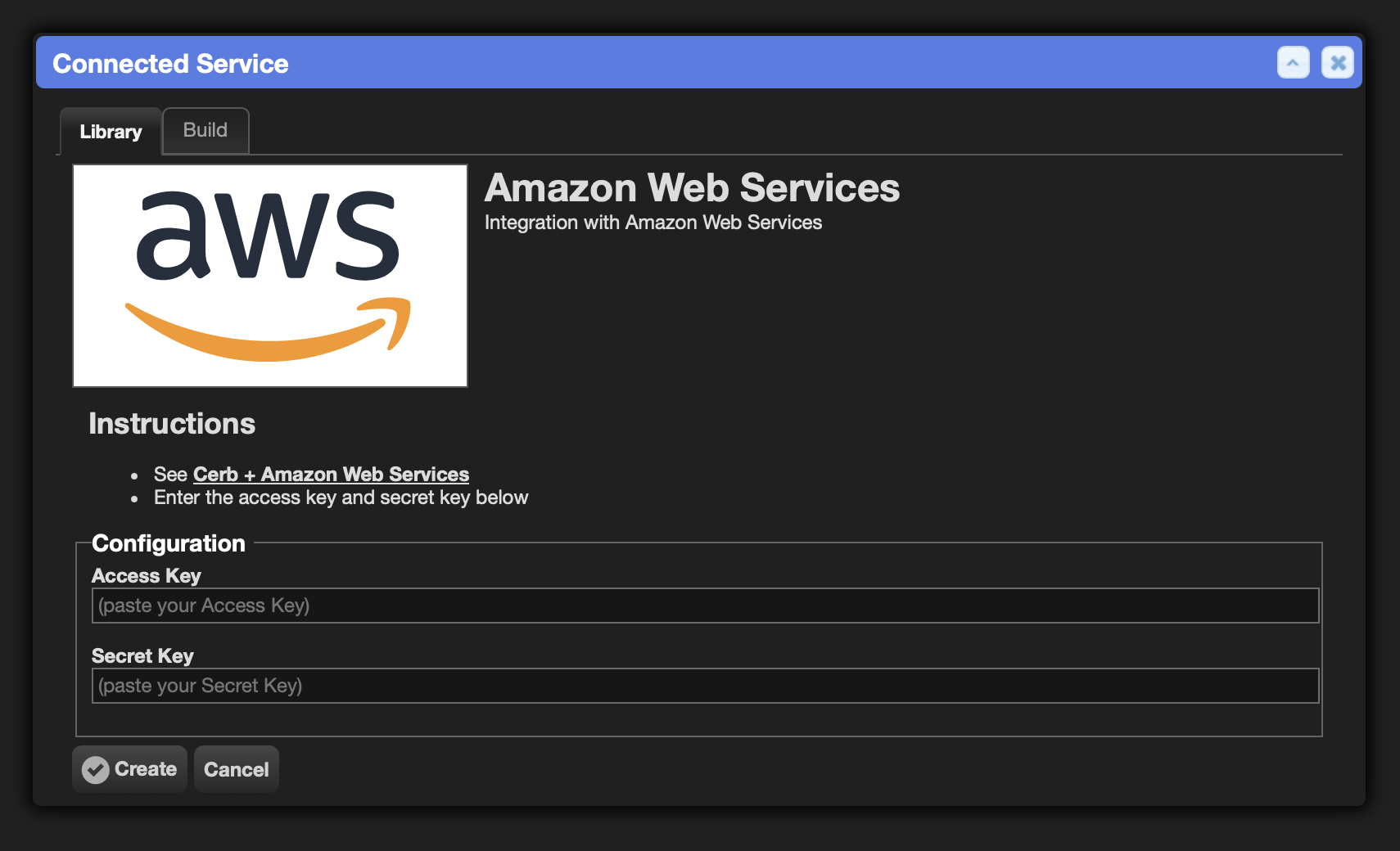
Enter your Access Key and Secret Key.
-
Click the Create button.
Create an agent model
An agent model record holds one model's configuration – its provider, ID, endpoint and credentials – so automations reference it by name instead of repeating a provider block.
-
Navigate to Search » Agent Models.
-
Click the (+) icon in the top right of the list.
-
Set Provider to AWS Bedrock.
-
Set API endpoint URL to the Bedrock runtime endpoint for your region (
https://bedrock-runtime.us-east-1.amazonaws.com). This is how you choose a region – there's no separate region field. Leave it blank to useus-east-1. -
Set Authentication to the Amazon Web Services connected account you created above.
-
Click the refresh button beside Model to load the models your account can use, and pick one. This is what the
ListFoundationModelsandListInferenceProfilespermissions are for.Give it a moment to land before you open the Model menu. Opening it too early shows the shipped suggestions rather than your account's models, and the menu keeps showing them until you close and reopen it.

The list above is a new record before a model is picked, so the dimmed text in Model, Name, Label and Context window is placeholder rather than values.
-
Picking a model from a refreshed list fills in Name and sets Vision from the metadata Bedrock publishes for it – so you don't have to know whether a model accepts images. The hint line under Model changes too, to the provider and model name Bedrock reports; nothing depends on it. Context window is never filled in here. Bedrock's catalog doesn't report one, so that field keeps whatever you type and stays empty until you set it – and you should, because compaction ratios are fractions of it. Thinking and the four Ratings are never filled in either. A model Bedrock reports nothing for leaves all of them exactly as you left them rather than clearing them.
-
Give the record a short Name – this is what automations will use. Something like
bedrock-kimiis easier to type than the model ID, and swapping the underlying model later becomes one edit instead of one per automation. Colons aren't allowed, since the name is referenced ascerb:agent_model:<name>. -
Click Test to verify the connection, then Create.
Model IDs and inference profiles
Bedrock model IDs come in two shapes, and the difference catches people out:
deepseek.v3.2
global.anthropic.claude-sonnet-5
us.anthropic.claude-sonnet-5
The first is a plain model ID. The leading global. and us. on the others are not part of
the model name – they identify a cross-region inference profile, which routes the request
across a set of regions for capacity. Some models are invoked by their plain ID, others only
through a profile, and the same model may be offered under more than one prefix.
This is exactly why the ListFoundationModels and ListInferenceProfiles permissions are worth
having. Loading the list from your own account gives you the ID that actually works there, which
beats copying one out of documentation and finding out by invoking it.
Use the model in automations
Reference the model by the name you gave the record.
-
start: llm.chat/summarize: output: results inputs: model: bedrock-kimi messages: 0: role: user content: Summarize this conversation in one sentence. return: summary@key: results:content -
commands:
  llm.chat:
    allow@bool: yes
The same model works with llm.agent: for tool-using conversations:
start:
  llm.agent/research:
    output: results
    inputs:
      model: bedrock-kimi
      system_prompt@text:
        You are a helpful support assistant. Answer from the tools available to you.
      messages:
        0:
          role: user
          content: {{prompt_question}}
An automation that doesn't name a model resolves a pool instead – a search across agent models rather than a named record. Omit a search entirely and you get every available model, in the priority order an admin set.
Prompt caching
A long agent conversation re-sends the same prefix every turn, and caching it cuts what that costs. Cerb enables prompt caching on the Bedrock models that offer it, checking your account's model catalog to find them – so a model without caching is never sent a cache marker. There's nothing to configure.
Reasoning
effort: and the grouped thinking: block work on Bedrock the same way they do on every other provider, but they apply to Anthropic models only.
llm:
  aws_bedrock:
    model: us.anthropic.claude-sonnet-4-5-20250929-v1:0
    authentication: cerb:connected_account:aws
    thinking:
      type: adaptive
    effort: high
Use type: adaptive on current Anthropic models, or type: enabled on older ones (Haiku 4.5, Sonnet 4.5, Opus 4.5), where effort: becomes a thinking budget sized to fit inside max_tokens.
Leave both keys off for Nova, DeepSeek, Kimi, Llama, Mistral, and the rest. Bedrock forwards the parameter straight to the model, so asking one of those to think fails the request rather than being ignored. Nothing is sent unless you set a key, so a model without reasoning needs no special handling.
Embeddings
Bedrock also serves embedding models through llm.embed:, for search indexes and semantic comparison:
start:
  llm.embed/text:
    output: results
    inputs:
      llm:
        aws_bedrock:
          api_endpoint_url: https://bedrock-runtime.us-east-1.amazonaws.com
          authentication: cerb:connected_account:aws
          model: amazon.titan-embed-text-v2:0
          dimensions: 1024
      texts:
        0: {{content}}
Resources
- Guide: Amazon Web Services – the generic AWS integration
- Docs: AI agents – agents, models, routers, and filesystems
- Docs: Agent Model records
- Workflow: Generate Profile Images (Amazon Bedrock)